

Affordable Solutions for Expanding Your Digital Storage Space
Are you constantly receiving notifications that your device is running out of storage space? With the ever-increasing volume of digital files, from high-resolution photos and videos to extensive document libraries, managing storage has become a common challenge for many individuals and households. Fortunately, there are numerous affordable strategies to reclaim and expand your digital storage without incurring significant expenses.
Assess and Clean Up Existing Storage
The first step in addressing storage limitations is to conduct a thorough audit of your current files. Begin by identifying and deleting duplicate documents, outdated applications, and temporary files that accumulate over time. Many operating systems offer built-in tools to help you visualize storage usage, making it easier to pinpoint large files or folders that are no longer necessary. Regularly clearing cache data from browsers and applications can also free up a surprising amount of space.
Utilize External Hard Drives
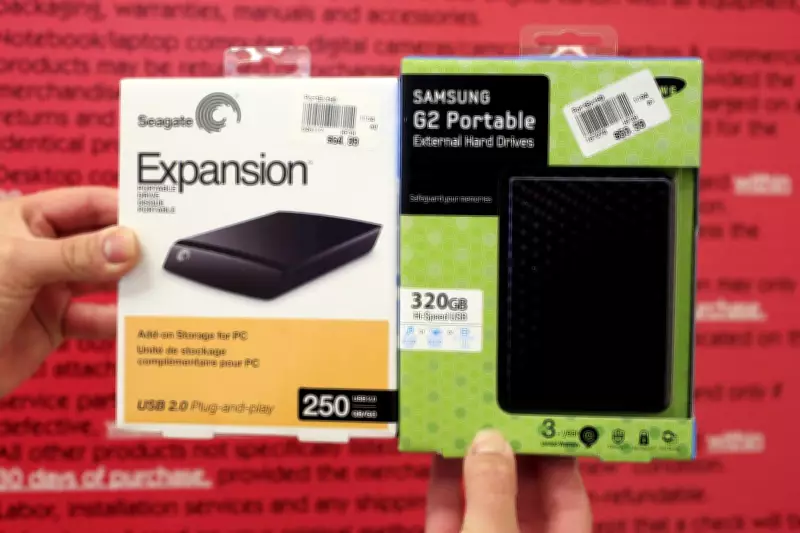
External hard drives remain a highly cost-effective solution for expanding storage capacity. Brands like Seagate and Samsung offer reliable options at various price points, allowing you to store large files such as media libraries, backups, and archives externally. For example, a standard 1TB external hard drive can often be purchased for under $100, providing ample space for thousands of documents, photos, and videos. This approach not only frees up internal storage on your primary devices but also serves as a physical backup to protect against data loss.

Explore Cloud Storage Services
Cloud storage services present a flexible and scalable alternative for managing digital files. Many providers offer free tiers with a few gigabytes of storage, which can be sufficient for essential documents and photos. For those requiring more space, subscription plans are available at reasonable monthly or annual rates, often including additional features like automatic synchronization across devices and enhanced security measures. Popular services include Google Drive, Dropbox, and Microsoft OneDrive, each offering various plans to suit different needs and budgets.
Optimize File Compression and Formats
Another practical method to maximize existing storage is through file compression and format optimization. Compressing large folders into ZIP files can significantly reduce their size without losing data integrity. Additionally, converting media files to more efficient formats, such as using HEVC for videos or WebP for images, can save substantial space while maintaining quality. Numerous free software tools are available to assist with these conversions, making it an accessible option for most users.
Implement a Regular Maintenance Routine
To prevent future storage crises, establishing a consistent maintenance routine is crucial. Schedule monthly reviews to delete unnecessary files, uninstall unused applications, and organize your data into clearly labeled folders. Consider setting up automated backups to external drives or cloud services to ensure important files are securely stored without cluttering your primary device. By adopting these habits, you can maintain optimal storage levels and avoid the stress of last-minute cleanups.
In summary, managing digital storage does not have to be a costly endeavor. By combining cleanup efforts with affordable external hardware and cloud solutions, you can effectively expand your storage capacity and keep your digital life organized. With these strategies, you can enjoy more space for your files without straining your budget.