
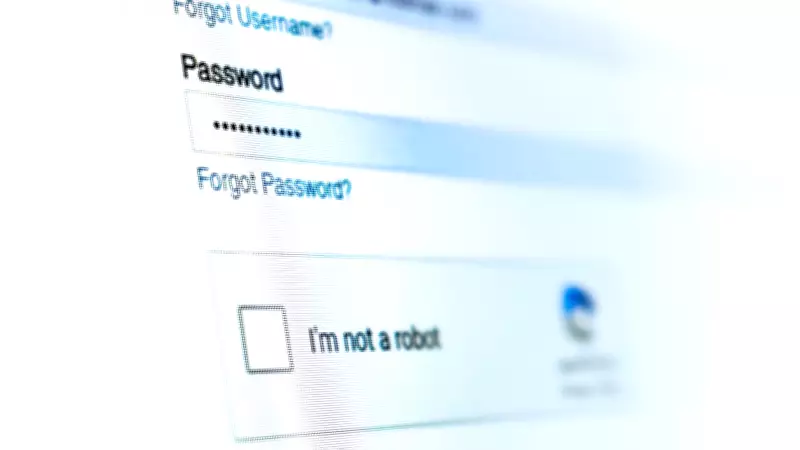
By now, you have likely encountered a CAPTCHA, which stands for "Completely Automated Public Turing test to tell Computers and Humans Apart." This security tool is designed to differentiate real people from bots interacting with a website. Typically, it involves quick tasks such as deciphering distorted text, identifying objects in images, or simply checking the "I am not a robot" box. These steps help websites prevent large-scale spam in comment sections, block bot-driven account creation, and curb activities like ticket scalping.
However, be aware: there is a new scam disguised as a routine CAPTCHA. Instead of prompting users to check a simple "I am not a robot" box, the fake page walks you through a series of keyboard steps. Alternatively, you might check the box and receive an error message instructing you to type a sequence to override it. It typically asks you to press Windows (or Command on Mac) + R, then Ctrl + V, then Enter. This allows hackers on the other end to access your device.
Known in cybersecurity circles as a "ClickFix" attack, this emerging scam puts a familiar online security step to use in a deceptive twist. Instead of attackers trying to force their way into your operating system from the outside by exploiting software vulnerabilities or passwords, this tactic relies on getting users to unknowingly hand over access from the inside. "When you interact with the fake CAPTCHA, malicious JavaScript silently copies a command to your clipboard," said Brian Hussey, senior vice president of Howler Cell Threat Services. "Pressing Windows + R, then Ctrl + V, pastes and executes it," Hussey continued. "The command is typically a script that runs hidden, contacts an attacker-controlled server, and pulls down malware."

The entire process takes just seconds, and because the user is the one initiating it, it does not immediately raise alarms. As he explains, the operating system interprets it as a legitimate action, making it much harder to detect in real time.
From there, the goal is often data extraction through information-stealing programs. "Tools sweep the infected machine for saved passwords, session tokens, browser credentials, and financial data, then quietly send it to the attacker," Hussey said. With that information in hand, attackers can log directly into accounts, often without triggering additional security checks, resulting in compromised email and financial accounts and drained cryptocurrency wallets for the user.
"For a corporate employee, it gets worse," Hussey added. "Harvested credentials open doors to internal systems, cloud environments, and sensitive data well beyond what that single user could access." Hussey noted that a single fake CAPTCHA execution can be the first stage of a much larger breach. "Attackers use initial credential access to map environments, identify high-value targets, and stage for ransomware or data exfiltration. Weeks can pass between that first execution and the moment damage becomes visible."
Why This Particular Scam Is So Effective
Unlike traditional phishing scams that try to get you to click a suspicious link or download a malicious attachment, this tactic sidesteps those usual warning signs entirely and instead leans on habit. "We have all become accustomed to flying through CAPTCHA windows without truly understanding what they are, to reach our destination website as soon as possible," said Maria-Kristina Hayden, a former cyber intelligence officer at the Defense Intelligence Agency and founder and CEO of OUTFOXM, a cyber hygiene and resilience company. "Scammers are banking on us reading their scam CAPTCHA as just the next iteration of legitimate security checks."
Part of the issue is just how routine CAPTCHAs have become. Stanislav Kazanov, head of GRC, cybersecurity, and sustainability at Innowise, added that while this kind of attack once tended to show up in more questionable corners of the internet, like pirated software downloads, game mods, or illegal streaming sites, that is no longer the case. "Now, ClickFix is showing up on totally normal, high-traffic websites too, including hacked WordPress blogs. And to make things worse, attackers are even paying for sponsored Google ads so people searching for legitimate software get funneled straight into these fake CAPTCHA traps."

What To Do If You Think You Clicked It
If you have clicked something you are second-guessing, the instinct might be to wait and see if anything actually happens to your computer. In this case, do not. "Disconnect the computer from the internet immediately, either by unplugging the ethernet cable or turning off Wi-Fi," Kazanov said, noting that gives you the best shot at stopping any more data from being sent out. From there, switch to an uncompromised device, like your phone on mobile data or a separate tablet, and change your most important passwords. "Make sure you hit 'sign out of all sessions' wherever you can. If you do this on the infected machine, you are just handing the new passwords right back to the attacker," Kazanov said.
The next step is critical. "If you want to be truly safe, you need to back up your personal files only, not apps, not installers, not anything executable, then wipe the computer completely and reinstall the operating system from scratch," Kazanov advised. "With modern infostealers, it is the only option people in security really trust."
In some cases, your device's built-in protections, like antivirus software, may flag what is happening and display a warning about suspicious activity. "It is important not to ignore those messages," Hayden said. "But the best protection is not a specific tool or setting. It is paying attention to when something is asking you to go beyond what standard CAPTCHAs ask."
Legitimate CAPTCHAs only ask you to solve a brief puzzle, like clicking on certain images, typing in distorted text, or checking a box to confirm you are human — quick, contained tasks that stay within your browser, according to Hayden. "You should never be asked to download files, type non-alphanumeric keys on your keyboard, scan QR codes, interact with your clipboard or system tools, or open your terminal."