
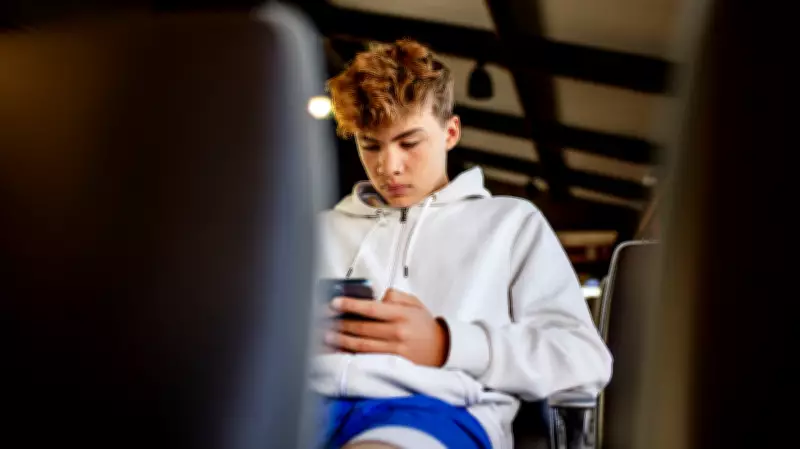
When Akshay Chaudhary's 8-year-old daughter, Avni, started playing Roblox, it seemed like harmless fun with cartoon avatars and bright colors. But Avni casually mentioned that another player asked her to be his "Roblox girlfriend" and tried to move the conversation off the platform. She thought it was silly, but her father did not. Soon after, a charge appeared on Chaudhary's card—Avni had clicked on Robux, the game's virtual currency, without realizing it was real money.
"Roblox is not just a game. It's a social platform dressed up as one," Chaudhary said. "The risk for younger kids, especially under 10, is that they often can't tell the difference between roleplay, manipulation and grooming behavior."
Expert Consensus: Two Apps Pose the Greatest Risks
To find out which apps worry experts most, HuffPost asked child safety experts, cybersecurity specialists, pediatric clinicians, and psychologists which apps they would never let their own kids use without serious guardrails. Two apps came up every time: Roblox and YouTube.

Roblox: An Open Platform with Hidden Dangers
Experts say parents don't understand what Roblox actually is. "It's an open platform with real-time chat, private messaging, virtual currency and millions of unvetted user-generated experiences," said Paul Pioselli, a former Fortune 20 chief information security officer. "That combination creates significant risk for kids."
Ashley Poklar, a child and adolescent psychologist, narrows the danger zone to ages 7 to 12. "Children ages 7 to 12 often have a hard time separating the game persona from the person they are interacting with," she said. Open chat, friend requests from strangers, private servers, and in-game rewards combine to give predators tools to "manipulate your child into keeping secrets, sharing personal information, engaging in private messaging, or moving to a different platform."
Roblox has tried to address these issues. In January 2026, after a wave of lawsuits, the company rolled out mandatory facial age estimation for anyone who wants to use chat. Users are sorted into six age brackets and can chat only with their own and the brackets immediately above and below. However, some parents undermine this by completing the scans on behalf of their children, causing the system to flag minors as adults. Additionally, age-verified accounts have appeared on resale sites for as little as $5.
A Roblox spokesperson stated that if a parent mistakenly completes the age check, they can correct their child's age using their parent-linked account. The company monitors behavioral signals and may revoke age checks for suspected account trading. On spending, they display warnings about real money and alert parents via email about high spend. In June, Roblox is rolling out new Roblox Kids and Roblox Select accounts globally, with chat disabled by default for ages 5 to 8.
YouTube: The Algorithm's Hidden Dangers
Unlike Roblox, the risk on YouTube isn't strangers reaching your child—it's the algorithm. YouTube's recommendation engine optimizes for engagement, pushing viewers toward progressively more sexualized, violent, manipulative, and extremist content. A child can start with a cartoon and end up somewhere unrecognizable within 30 minutes.
For very young children, Pioselli warns about "AI slop: ultra-stimulating videos mimicking educational content that slip past filters on a large scale." For older kids, a single fitness or diet search can trigger a self-reinforcing loop of body comparison and disordered eating content. Kiara DeWitt, a certified pediatric neurology nurse, sees the fallout in the clinic: "Morning grumpiness after screen time, fighting bedtimes or decreased interest in playing away from the screen are red flags."
Practical Steps for Parents
For Roblox, experts recommend linking a parent account, enabling Account Restrictions, setting Content Maturity, turning chat off, adding a parent PIN, removing stored payment methods, locking down Robux purchases, restricting contact to Friends Only, and completing the facial age check honestly using your child's face.

Ryan Egan, a clinical psychologist, says the single most useful thing is to know which game inside Roblox your child is playing. "If your child says Roblox is their favorite game, always ask: which game in Roblox?" Then sit down and play it with them. "Your single best asset as a parent is knowing the game your child is playing or the YouTube channel your child is watching. There's no substitute for simply playing the game yourself or watching the videos yourself."
For YouTube, keep children under 10 on YouTube Kids, switch off autoplay in Family Center, use the built-in 60-minute timer, cap sessions at 20 to 30 minutes, and build a whitelist of approved content. "Whitelisting appropriate content is a much better tactic than blacklisting inappropriate content," Egan said.
Ultimately, every expert pointed to something no platform can provide: a positive, trusting relationship with an adult. "Reacting to small situations calmly, not taking their phone, will lead to more honesty later," Poklar said.