
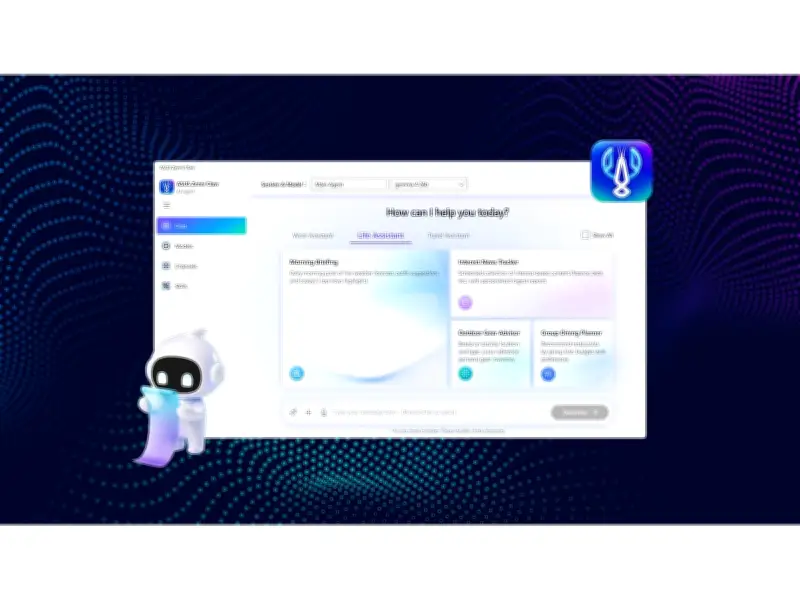
ASUS today announced that Zenni Claw, its agentic AI assistant, is now available as a free download for supported ASUS devices. Designed to simplify the use of agentic AI, Zenni Claw transforms everyday prompts into guided workflows with ready-to-use skills for work, travel, and daily planning, while keeping users in control of each step.
Key Features of Zenni Claw
Zenni Claw offers a guided three-step installation and a simplified interface that removes the typical friction associated with AI agent tools. Users can start immediately with built-in Work, Travel, and Life assistants, avoiding the need to begin with a blank prompt. The assistant supports flexible local-cloud routing, running tasks locally or in the cloud to balance responsiveness, privacy, and efficiency. Safety-focused controls help protect users as AI agents interact with tools, files, and workflows.
Designed for Ease of Use
According to ASUS, Zenni Claw lowers the barrier to entry for agentic AI. The three-step installation and simplified interface help users go from idea to result without requiring AI expertise. The assistant switches outputs flexibly between the device and the cloud, reducing unnecessary cloud processing. Its safety architecture improves privacy and user control when interacting with tools and files.

Ready-to-Use Skills
Zenni Claw includes three everyday assistants. The Work Assistant helps users organize meeting notes and action items, follow industry updates, and create editable presentation drafts. The Travel Assistant monitors flight options, builds itineraries, and surfaces local experiences beyond standard tourist spots. The Life Assistant provides morning briefings, interest-based news, outdoor gear planning, and group dining recommendations.
Safety and Privacy Controls
Zenni Claw operates in a contained workspace separate from personal files and the main system. It includes sensitive-data filtering, prompt-injection protection, and safeguards that keep API keys protected on the device. These features help ensure users remain in control as AI agents work across tools and workflows.